 ← Happy Orbit Labs
The simplest way to read and write Markdown.
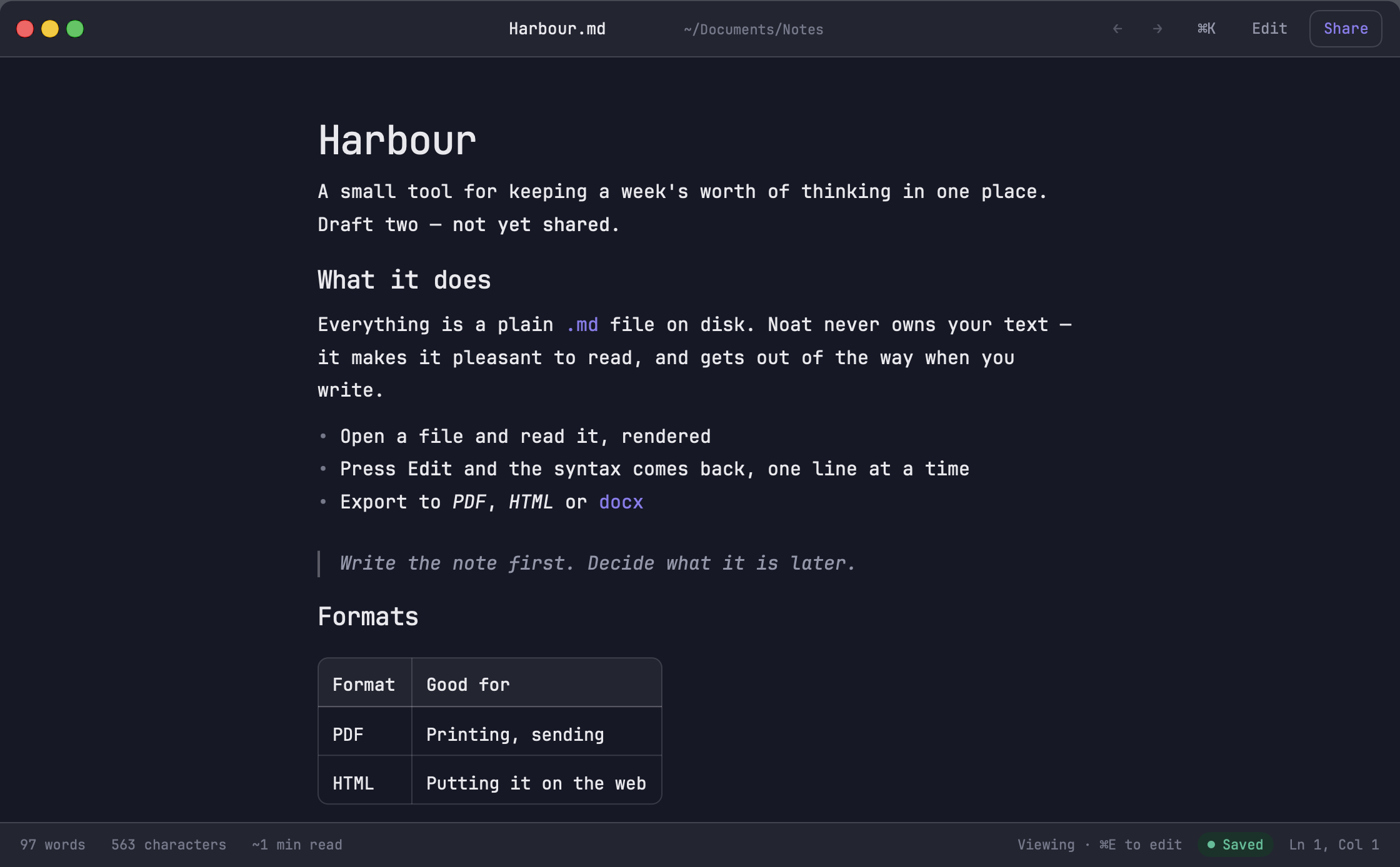
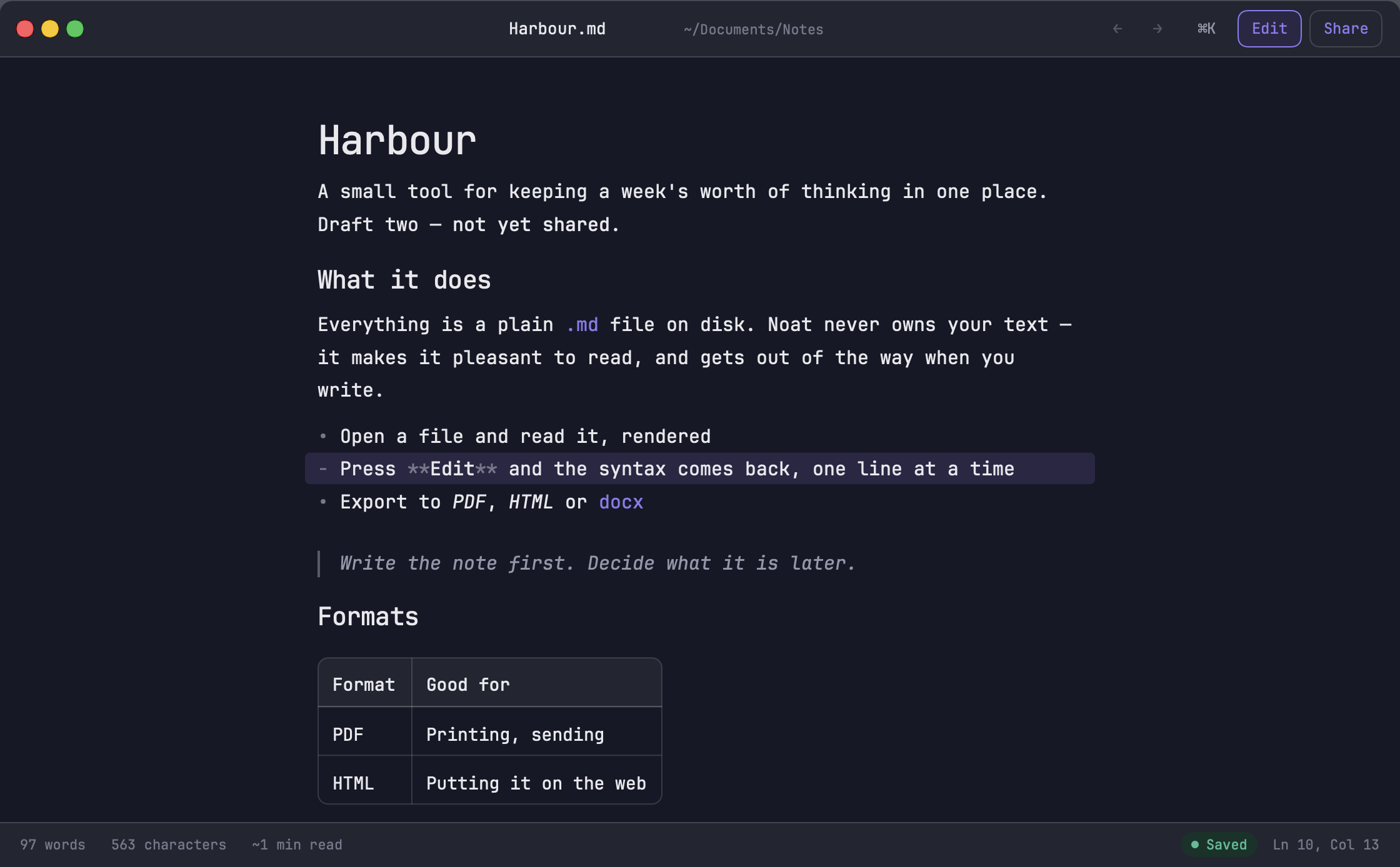
Noat opens one plain .md file, rendered. Press Edit and the markup comes back on the line you're on, and nowhere else. No library, no split pane, no account.
Syntax where the caret is
No split pane and no preview window. The asterisks appear on the line you're writing and step aside when you move on.
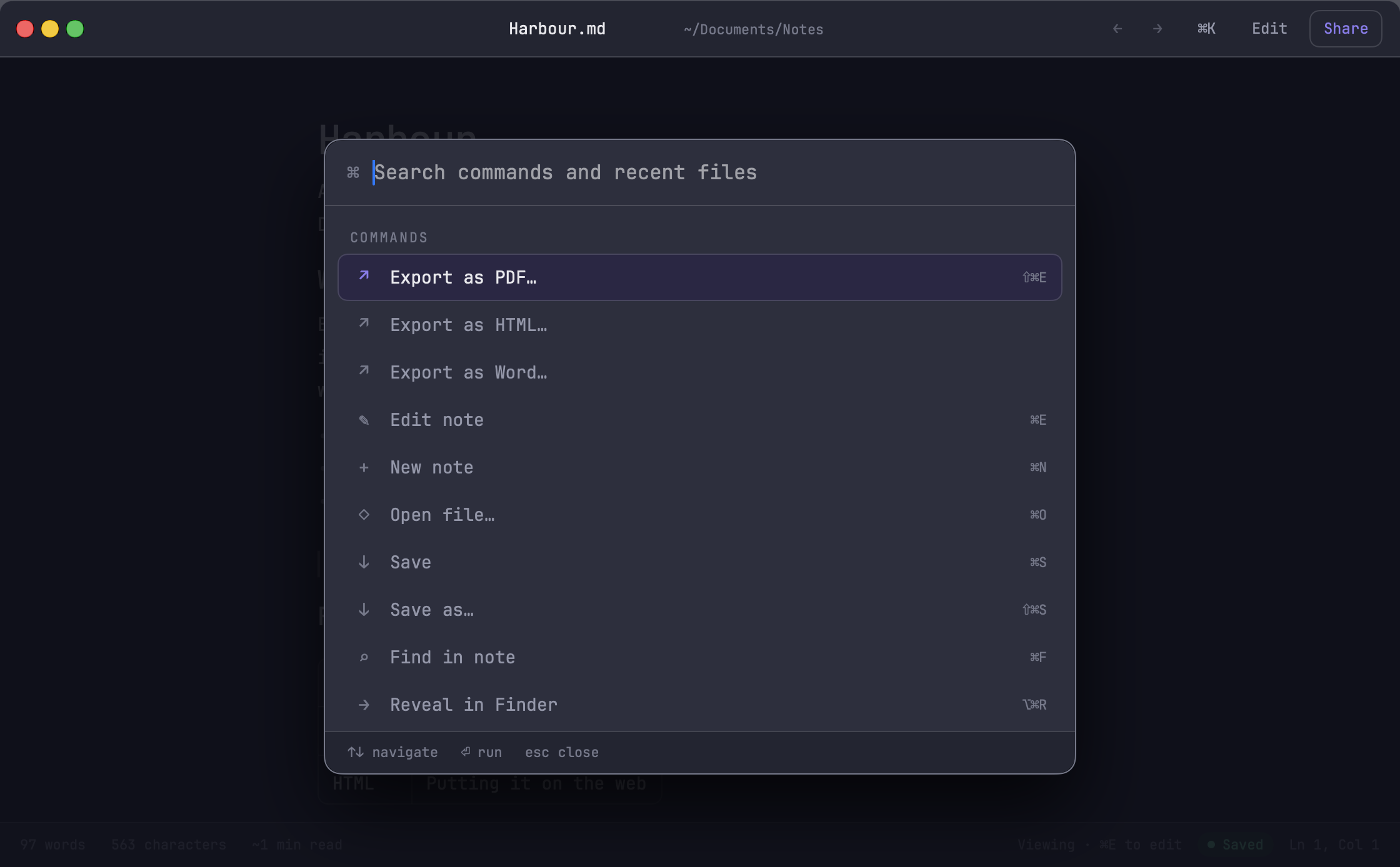
⌘K is the interface
Formatting, recent files, export and settings in one search. That is the whole reason there's no sidebar and no toolbar to learn.
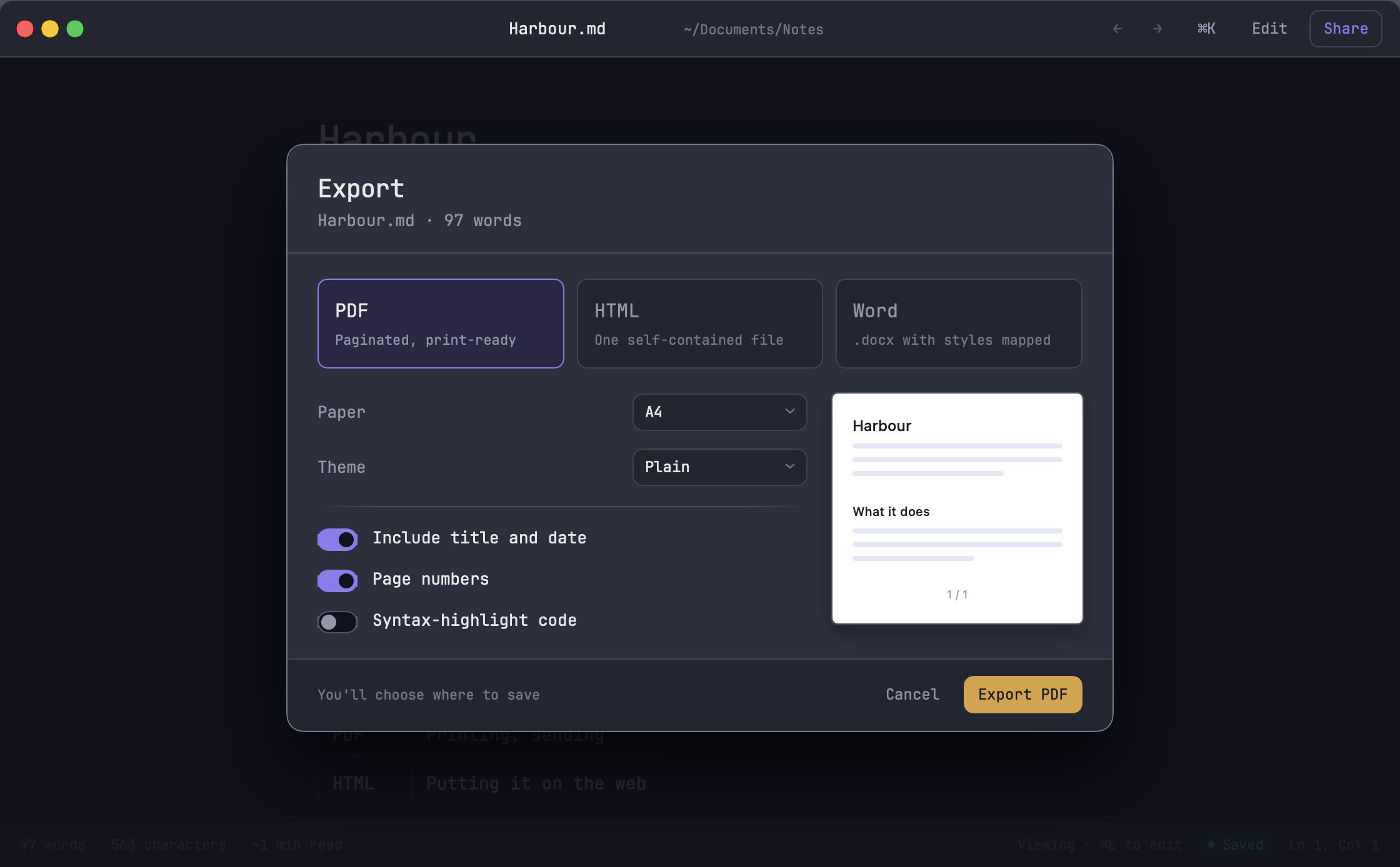
PDF, HTML or Word
Paginated PDF, one self-contained HTML file, or a .docx with the styles mapped.
Where do my notes live?
Wherever you save them. Noat reads and writes plain .md files and keeps nothing of its own — no library, no database, no account.
Isn't that just a preview pane?
The other way round. A preview pane is a second copy of your document sitting next to the first one. Noat has one document: it's rendered, and the line you're editing shows its markup in place. There's no second pane to keep in sync, scroll or close.
Will it open files from other apps?
Any .md or plain text file, from Finder, the Dock or File › Open. It can be your default Markdown app, too.
Does it need an account?
No, and it couldn't have one. Noat is sandboxed without network access at all — there is no server to sign in to, nothing to sync, and nothing it can send anywhere.
What does it cost?
$4.99 CAD on the Mac App Store, or the equivalent where you are. One payment to keep it, with no subscription.
What Mac do I need?
Any Mac running macOS 15 Sequoia or later.
Open a note.
Any .md file you already have. It opens rendered.